Private beta
I got tired of being the only one who knew whose turn it was.
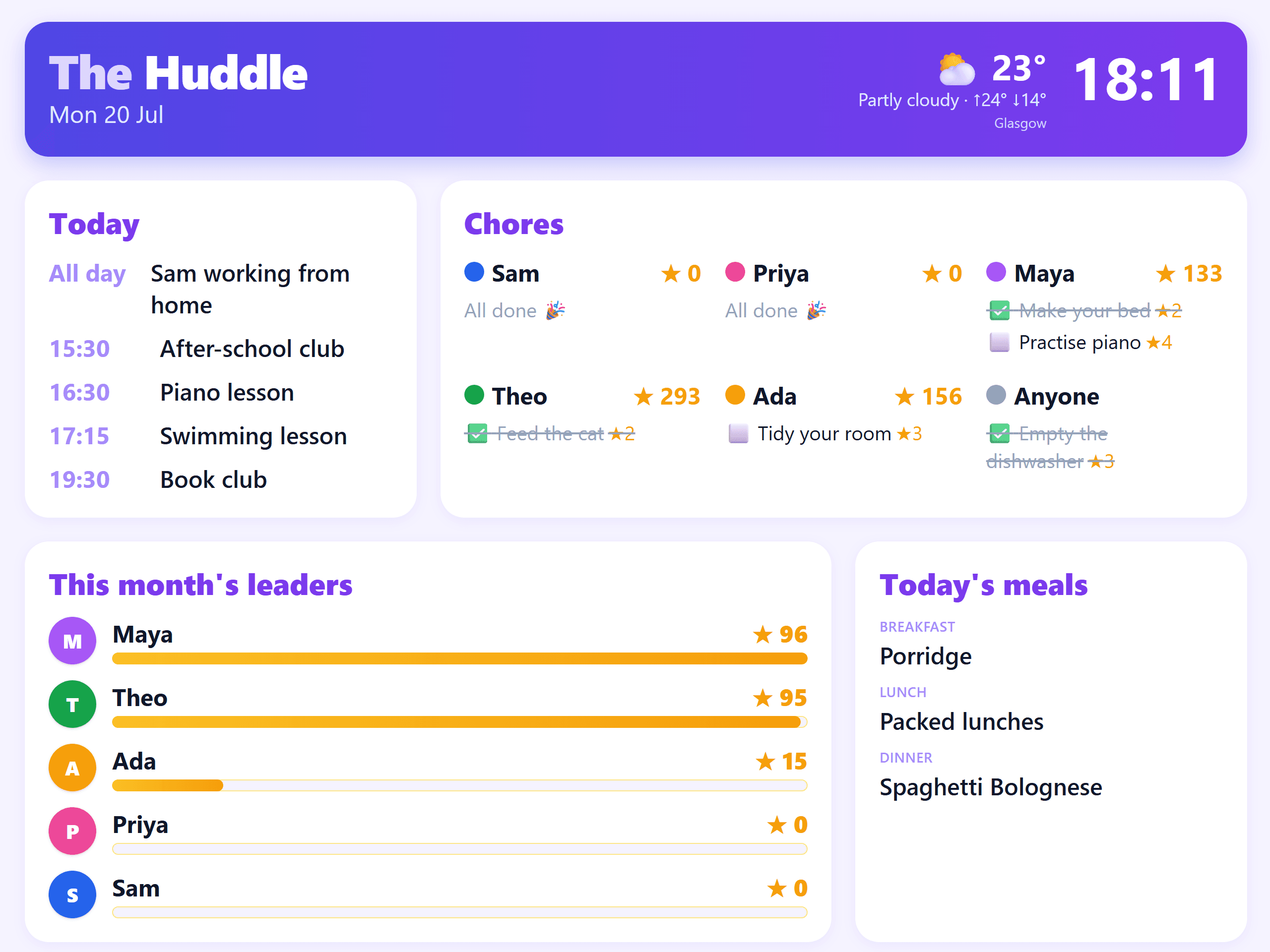
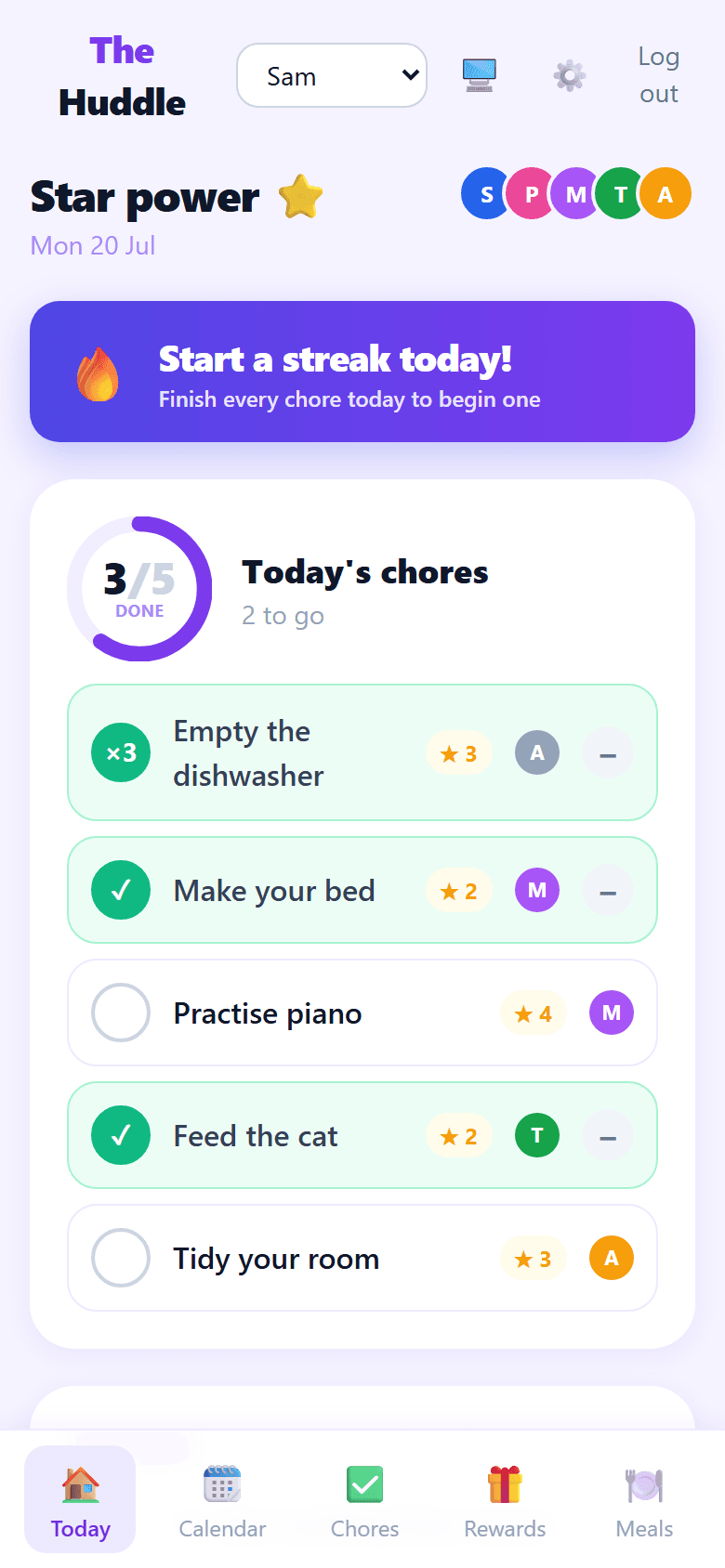
So I built The Huddle. Everyone's week goes up on the kitchen wall and onto their own phone — who's where, what needs doing, and who's actually done it. And it keeps proper books, so nobody has to take anyone's word for it.
No ads. No analytics. No trackers. Your family isn't the product.
“Whose turn is it to feed the cat?”
“Did anyone actually empty the dishwasher?”
“Who's picking up on Thursday?”
Three questions a week, every week, for the next decade.
Chores
Most chore charts are a sticker chart. This one keeps books.
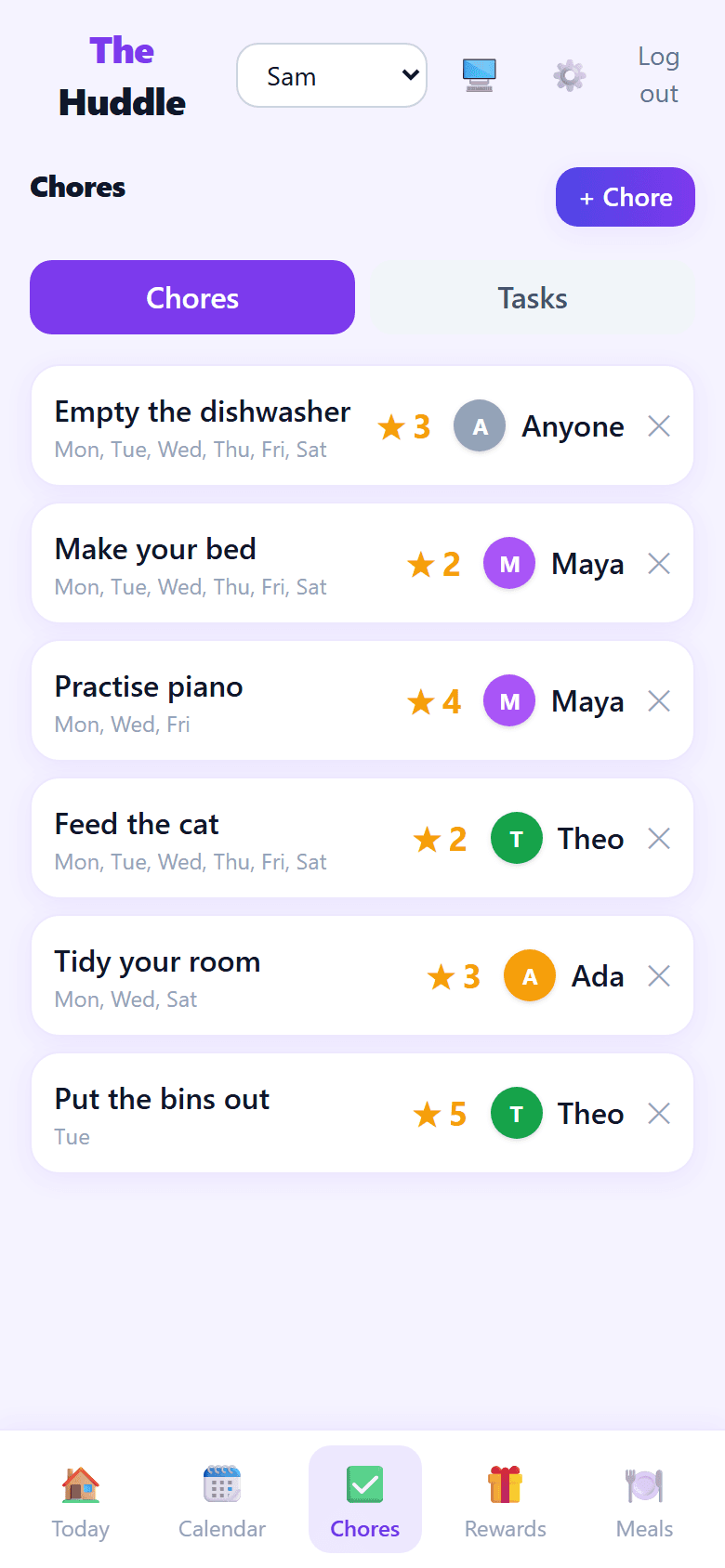
Jobs go up with a star value and whose they are. Kids tick off their own on their own phone. The ring on the front page shows how much of today is left, and stars turn into rewards you set yourself.
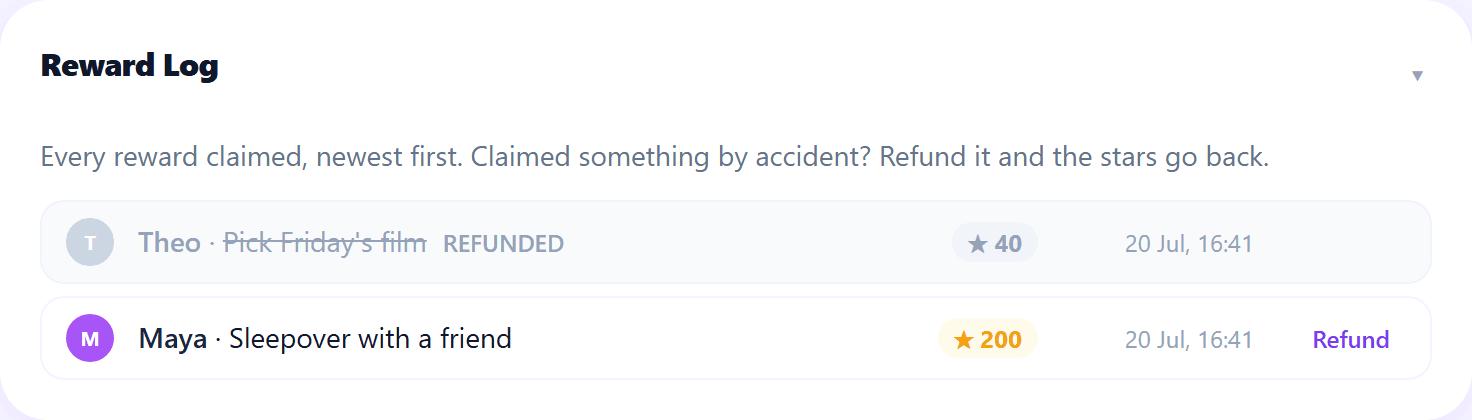
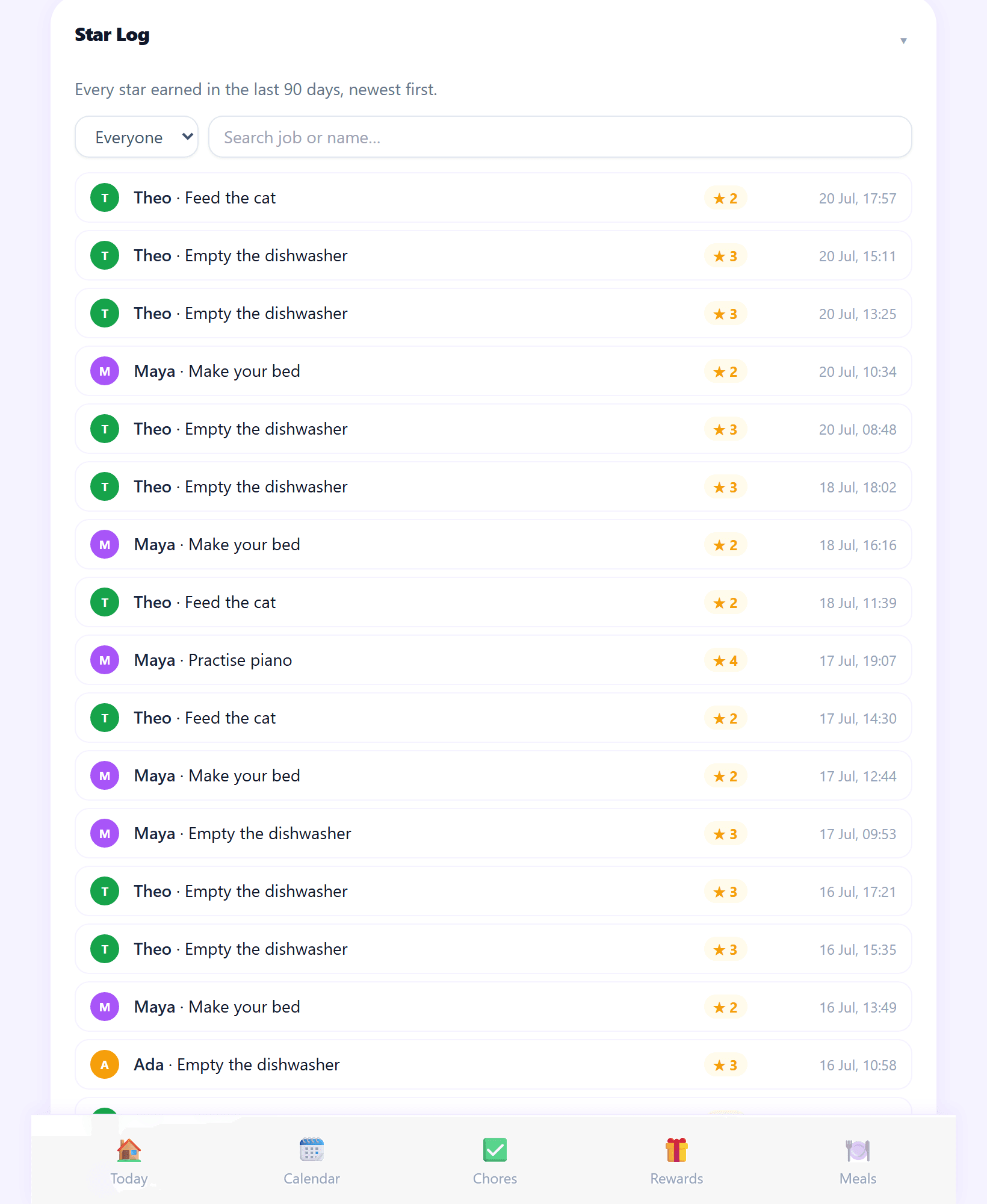
The difference is underneath. Every completion is written down and kept, and nothing is ever overwritten — so when someone says “I definitely did that”, you don't have to take anyone's word for it. You can look.
The dishwasher pays every time
Empty it three times and it counts three times — ✓×3, with one tap to undo. It was the dishwasher that made me build this bit.
Parents earn too
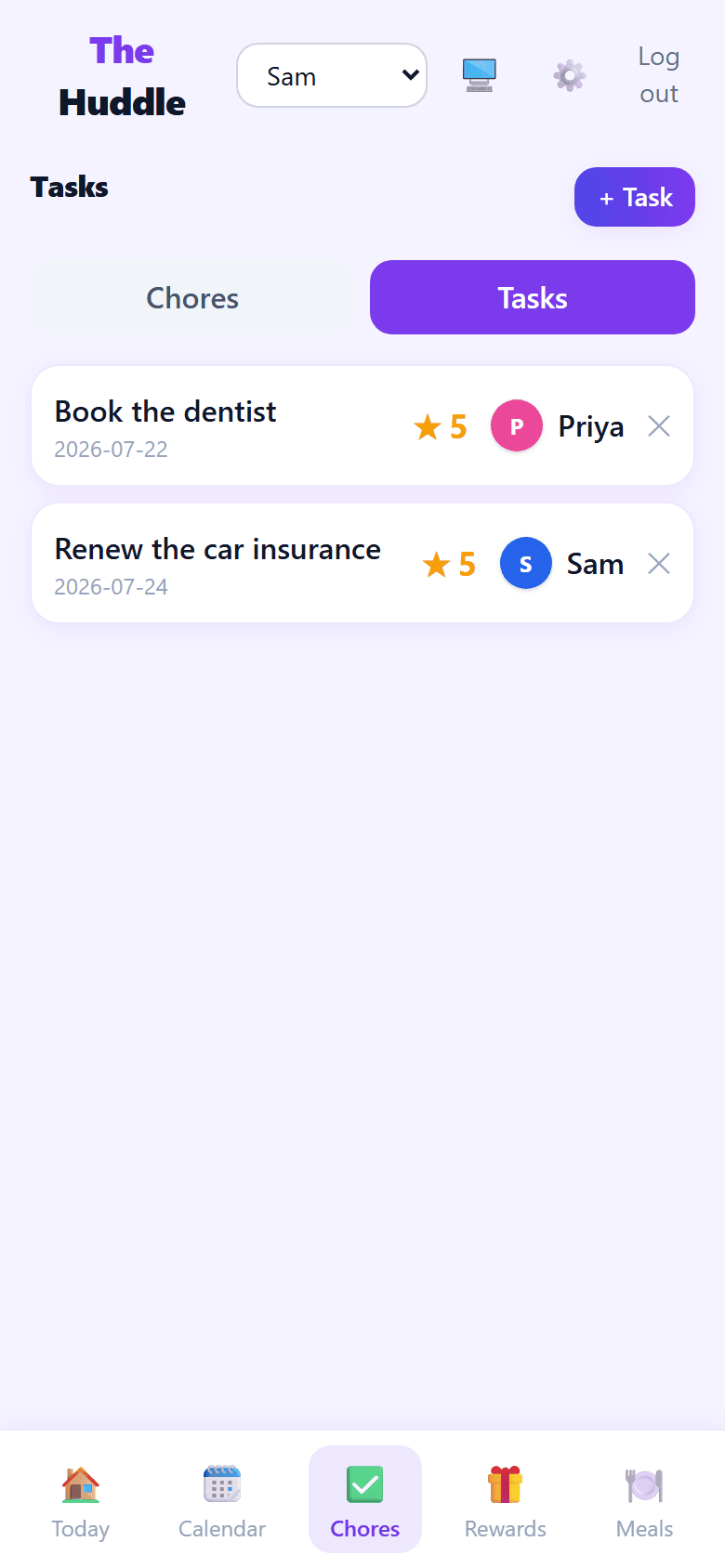
“Book the dentist” is worth stars in exactly the same way. The leaderboard doesn't care how old you are.
An empty day doesn't break a streak
If nothing was scheduled, nothing was missed. It just doesn't add to the run.
The week
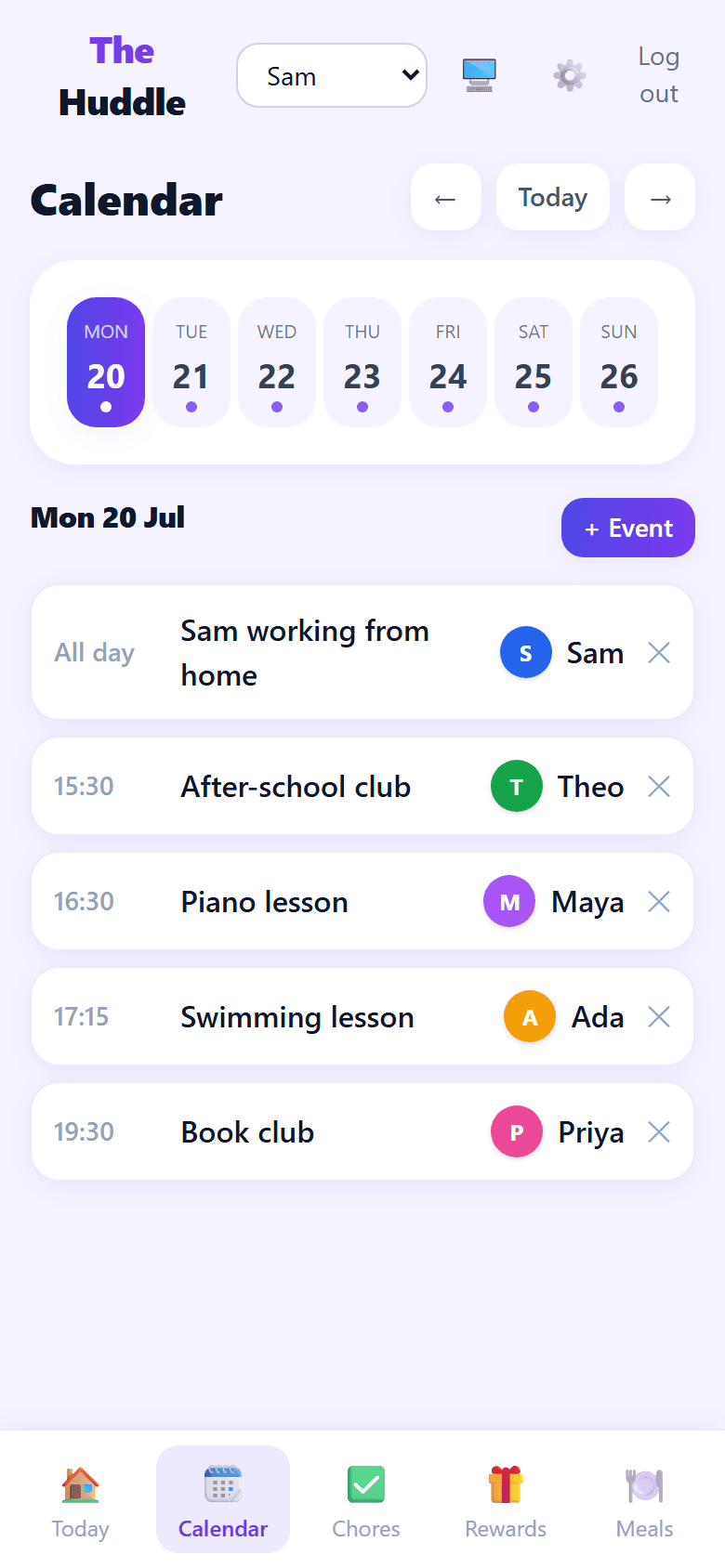
Everything anyone has on, in one list, colour-coded to whose it is.
Everyone in the house gets a colour, and it follows them everywhere — the calendar, the chores, the leaderboard, the wall. You can see at a glance that Monday has piano at half four and swimming at quarter past five and they are two different children in two different places.
Add something for one person or for everybody. It shows up on the wall display and on every phone straight away.
Your Google calendar can feed into it
Paste in the secret iCal address and those events appear alongside the rest. It's one way and read-only — you see them here, you edit them in Google — and it refreshes about once a day.
No app to install for it to work
It's a web page. Add it to a home screen and it behaves like an app, on whatever phones the family already has.
The wall display
Designed to be looked at, not used.
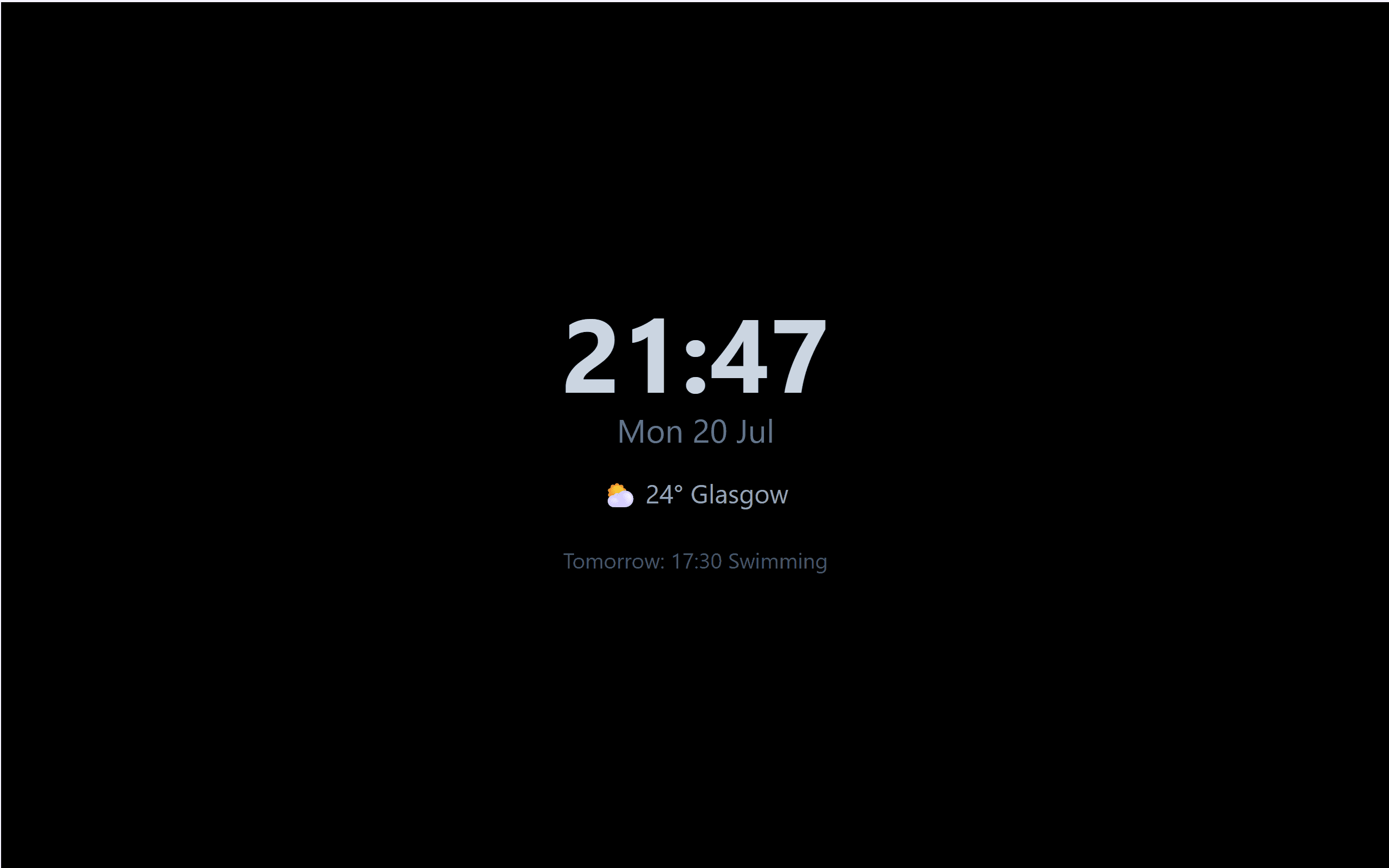
Open one page on any screen you already have — an old tablet, a spare monitor, the telly in the kitchen — and leave it there. Nothing to tap. It refreshes itself and rotates through the day, the week and the month.
At nine at night it goes black and shows a dim clock and tomorrow's first thing, so it isn't glowing at you all evening.
It moves every ninety seconds
A kitchen screen is on sixteen hours a day. The whole display nudges itself a few pixels so the calendar never burns a ghost into the panel. You will never notice it happen.
Weather without an account
Set a postcode and it shows your weather. No key, no sign-up, nothing to connect.
Getting everyone in
A nine-year-old doesn't have an email address.
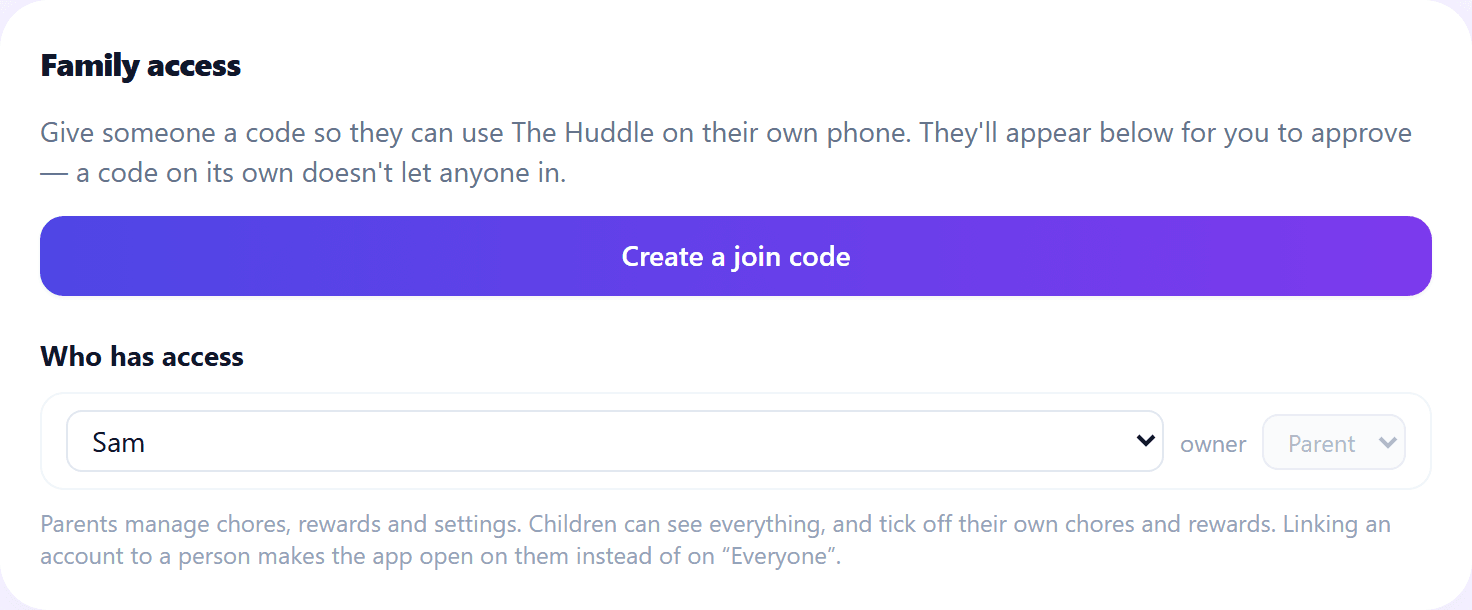
So they don't need one. You hand out a join code that lasts an hour and works once, they tap “continue without an email” on their own phone, and then they wait — because a code on its own lets nobody in. You approve them, and you say who they are and whether they're a parent.
Children can see everything and change almost nothing: tick off their own chores, spend their own stars, add to the shopping list. Not each other's. Everything else is refused unless a parent does it.
And then there's the shopping
Plan the week's dinners and the shopping list writes itself.
This is the bit I'm quietly proudest of. Every other family app has a meal planner and a shopping list sitting next to each other in the menu, and you copy between them by hand. Here one is calculated from the other.
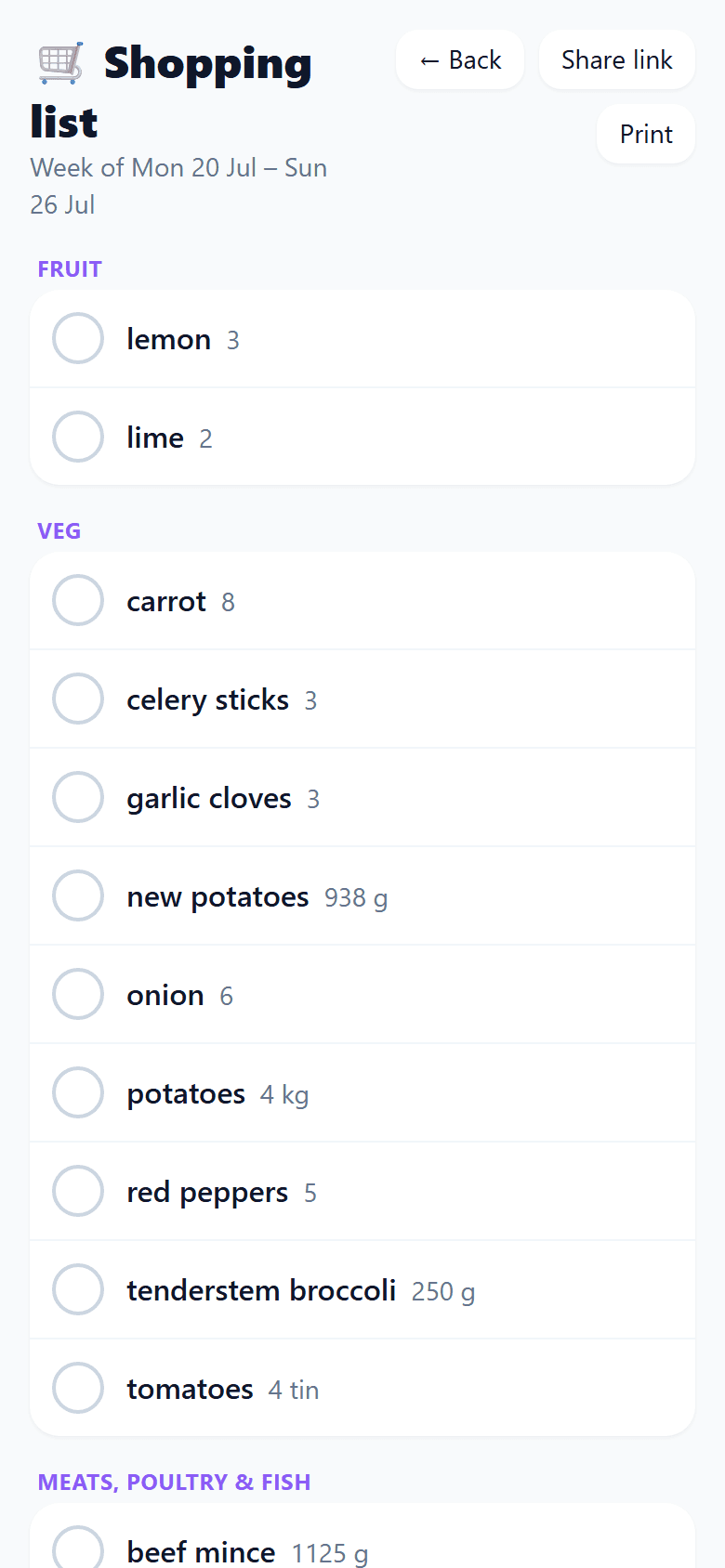
Pick the week's meals and the list assembles itself from the recipes: scaled to how many you're feeding, the same ingredient merged wherever it appears, quantities rounded up to something you can actually put in a trolley, and grouped into twelve aisles in the order you walk round.
Tick things off as you go, print it, or send the link to whoever's actually going — it opens without an account.
onion × 6
Five of that week's recipes each wanted one. You need six, not five separate lines.
beef mince, 1,125 g
500 g for four people, scaled to five. Plus the cottage pie. Added up for you.
chopped tomatoes × 4 tins
The recipes want 3.75 tins. You cannot buy 3.75 tins.
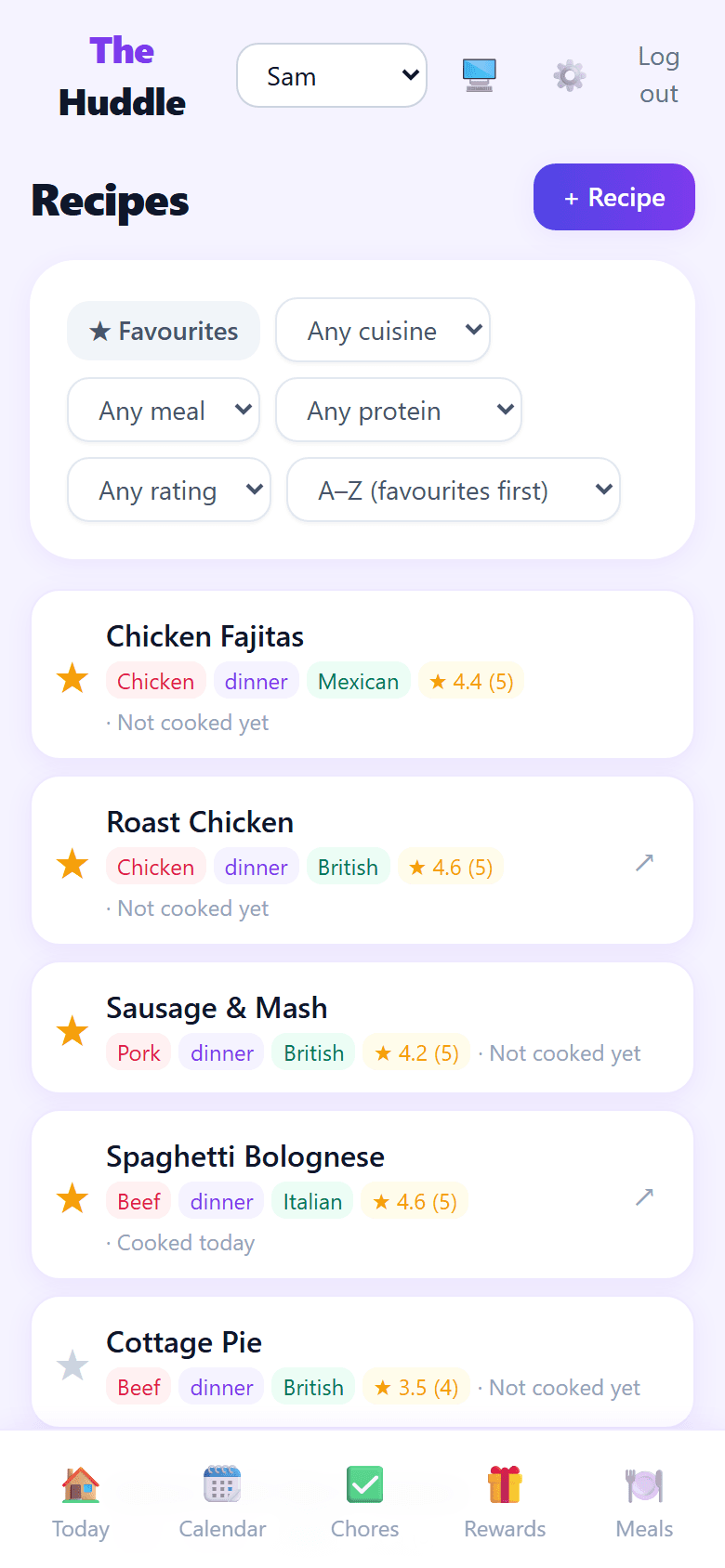
It knows you've had the same five dinners since March.
Everyone rates a recipe out of five separately, so you can see the meal one person loves and everyone else tolerates rather than a single household score that hides it. And it sorts by least recently cooked — worked out from what you actually planned, not from what you meant to cook.
Privacy
There's nothing in it that needed tracking you.
This isn't a policy position, it's an absence. I never added any of it, because none of it would have made the app better for my own family.
No ads
Nothing is sold against your family’s attention.
No analytics
Nobody is measuring what you tap.
No trackers
No third-party scripts run on the page at all.
No profiling
Children’s routines are not a dataset.
And you can take it all out again.
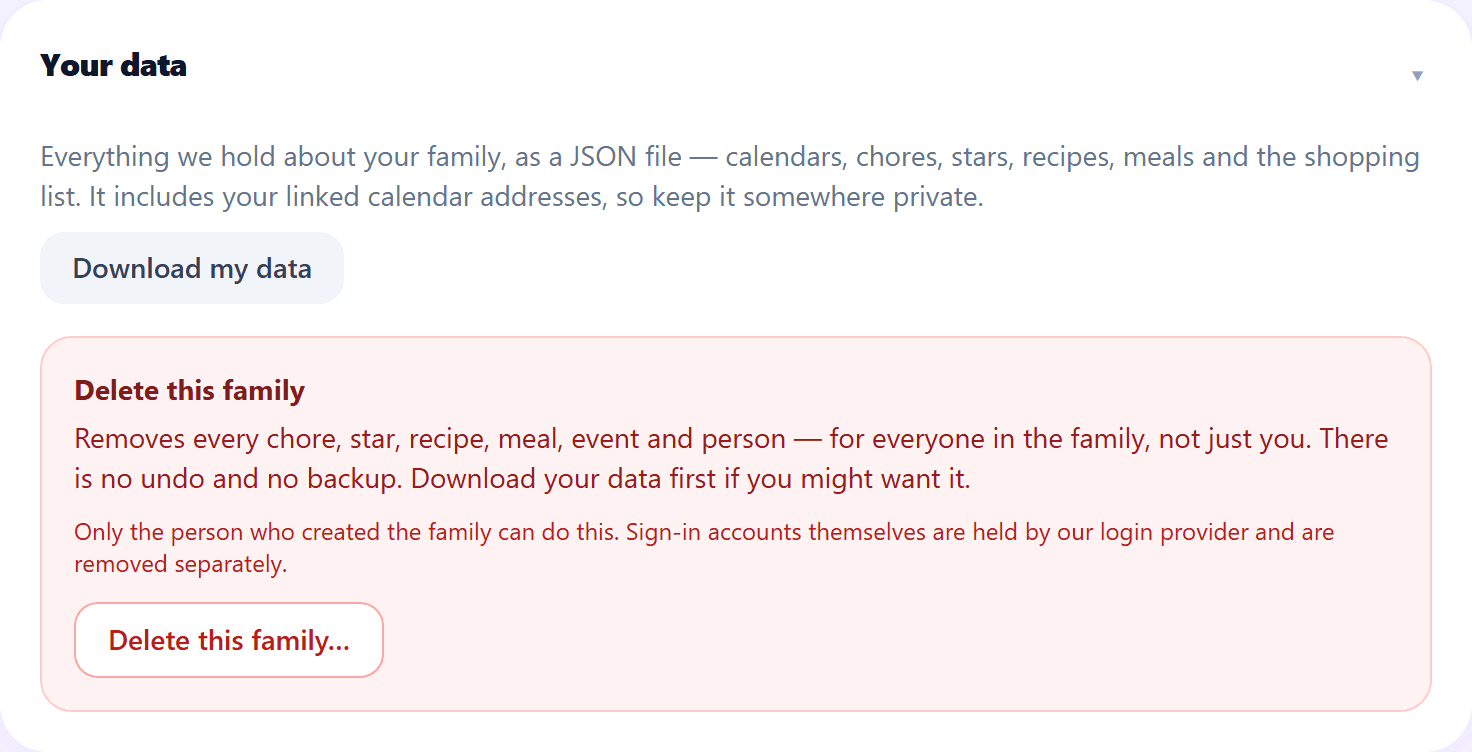
Download everything your household holds as a single file, or delete the family outright — every chore, star, recipe, meal, event and person, gone. No undo, no quiet copy kept back.
One thing to know about share links
A shopping-list link is read-only and stops working after seven days — but I can't recall one early. Once you've sent it, it's live for the week.
It started with the dishwasher. Whoever emptied it wanted credit, and the chart on the fridge had one box a day, so emptying it three times looked exactly like emptying it once. That is a small thing and it caused a genuinely stupid amount of arguing.
So I built this for us, and it's been running our house for months. Nobody staffing a roadmap builds a display that shifts its own pixels every ninety seconds. I built that because it's our kitchen and it was burning in.
If it'd be useful in your house, tell me and I'll set you up.
— Gary
The awkward questions
Better you find these out here than three weeks in.
What does it cost?+
Does it send reminders?+
Is there an iPhone app?+
Does it sync with Google Calendar?+
Can I get our data out again?+
Does the shopping list work in my supermarket?+
Can I import a recipe from a website?+
Will it work outside the UK?+
Who else can see our stuff?+
It's free while it's small.
I'm letting a few families in at a time so I can actually help each one get set up. Send me an email and I'll send you a join code.
Request an invitehello@thehuddle.family